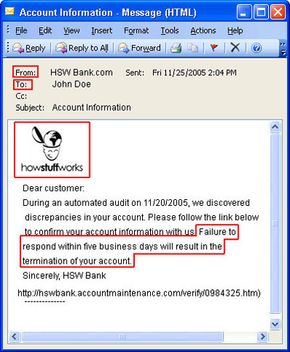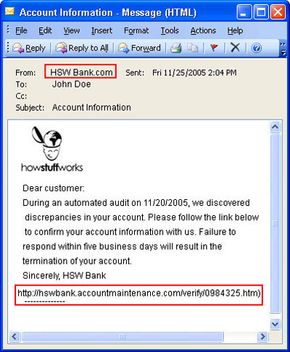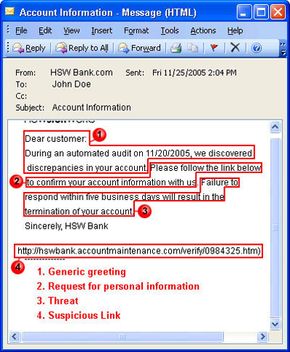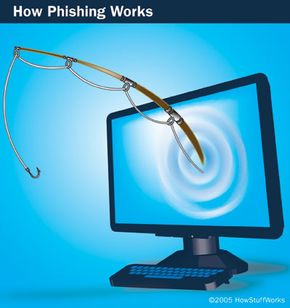
Suppose you check your e-mail one day and find a message from your bank. You've gotten e-mail from them before, but this one seems suspicious, especially since it threatens to close your account if you don't reply immediately. What do you do?
This message and others like it are examples of phishing, a method of online identity theft. In addition to stealing personal and financial data, phishers can infect computers with viruses and convince people to participate unwittingly in money laundering.
Advertisement
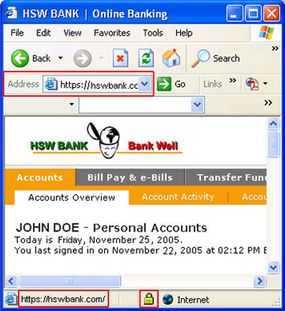
Most people associate phishing with e-mail messages that spoof, or mimic, banks, credit card companies or other business like Amazon and eBay. These messages look authentic and attempt to get victims to reveal their personal information. But e-mail messages are only one small piece of a phishing scam.
From beginning to end, the process involves:
- Planning. Phishers decide which business to target and determine how to get e-mail addresses for the customers of that business. They often use the same mass-mailing and address collection techniques as spammers.
- Setup. Once they know which business to spoof and who their victims are, phishers create methods for delivering the message and collecting the data. Most often, this involves e-mail addresses and a Web page.
- Attack. This is the step people are most familiar with -- the phisher sends a phony message that appears to be from a reputable source.
- Collection. Phishers record the information victims enter into Web pages or popup windows.
- Identity Theft and Fraud. The phishers use the information they've gathered to make illegal purchases or otherwise commit fraud. As many as a fourth of the victims never fully recover [Source: Information Week].
If the phisher wants to coordinate another attack, he evaluates the successes and failures of the completed scam and begins the cycle again.
Phishing scams take advantages of software and security weaknesses on both the client and server sides. But even the most high-tech phishing scams work like old-fashioned con jobs, in which a hustler convinces his mark that he is reliable and trustworthy.
Advertisement